Connect and learn with other parents from the comfort of your home or on the go at WIC online group classes. Group classes are interactive, so come ready to learn and connect with other parents of little ones! Classes are offered in English and Spanish.
Joining the class is easy! Use any smart device and follow these 3 simple steps.
1. Download the Zoom app on your phone or tablet if you don’t already have it. You don’t need a Zoom account to join.
2. Find the class day and time that works best for you.
3. At the time of the class, join live! Click the purple “Join Now” button (available up to 10 minutes before the class starts).
October Class Schedule
Classes begin right away at their start time. All you need is the phone number on your WIC account and your birthday.
Click the “Join now” button below to enter your information, then click the yellow buttons. See you in the Zoom room!
Tuesdays
11:00 AM – 11:30 AM
Color Your Plate! Eat a Rainbow of Healthy Fruits and Veggies

Discover the importance of eating a variety of colorful fruits and vegetables and share delicious ways to add them to your family’s meals.
You’ll learn:
- How fruits and vegetables can improve your family’s health
- The many different types of fruits and vegetables you can introduce
- Which fruits and vegetables can be purchased with WIC benefits
Wednesdays
11:00 AM – 11:30 AM
Discover What’s New with Your WIC Foods!
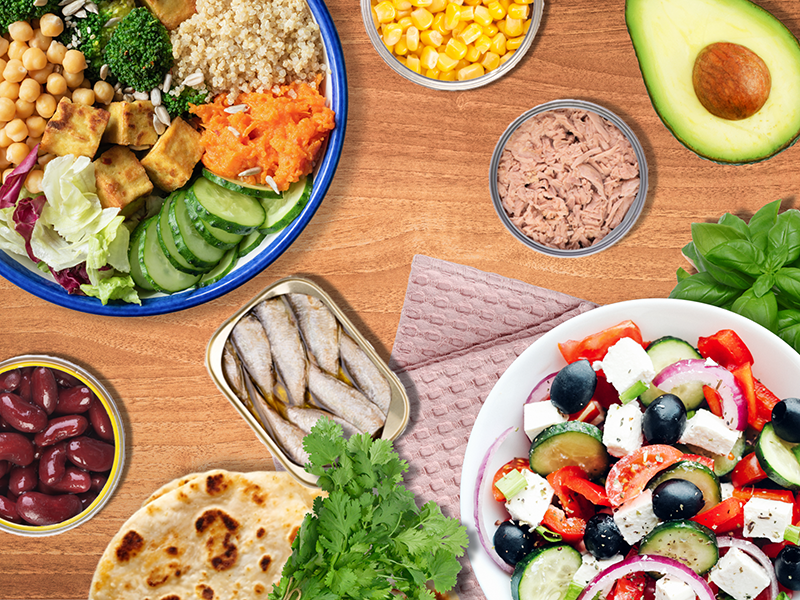
New and exciting changes are coming to your WIC food package! Discover fun and healthy ways to use your new foods, explore easy food swaps that can help meet your child’s tastes and preferences.
You’ll learn:
- New foods you can buy with your WIC benefits and Cash Value Benefits (CVB)
- New food options and flexible swaps to fit your family’s preferences
- Simple ways these changes can make healthy eating easier, more enjoyable, and more affordable
Thursdays
4:00 PM – 4:30PM
Seafood Made Simple: Tasty Ways to Eat More Fish!

Learn why it is important to eat fish often, how to safely prepare it, and easy ways to add it to your family’s meals.
You’ll learn:
- How key nutrients in fish support your family’s health
- The right amount of fish to eat during pregnancy, infancy, and childhood
- The types and sizes of canned fish you can buy with your WIC benefits, including safe low-mercury options
- Simple ideas for making fish a tasty and nutritious choice for the whole family
If you’re having trouble joining a Zoom class, text ZOOM to 91997 for help.